How to Document Your Work Without It Taking Over Your Week


 CareerClimb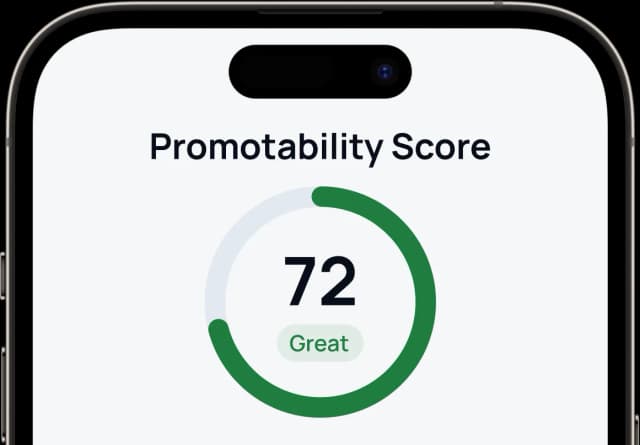
Document your work in seconds, not hours
The CareerClimb app turns a quick voice note into polished, review-ready evidence. Your case builds while you work.

Share this article
You know you should be documenting your work. Every career article says so. Your manager probably said it too, right around review time, after you couldn't remember what you did in Q2.
So you started a spreadsheet. Wrote a few careful paragraphs about that project you shipped. Spent twenty minutes trying to quantify the impact. Then work got busy and you didn't touch the spreadsheet for three months.
The problem wasn't motivation. The problem was time. Documenting your work felt like a second job layered on top of the real one.
Why documentation systems collapse
Most documentation advice assumes you have unlimited time and energy. Open a Google Doc, write detailed summaries, categorize by rubric dimension, quantify every outcome. That works on a Saturday afternoon when you're catching up. It does not work on a Tuesday at 4pm after three meetings and a production incident.
The system requires too much per entry. If every win needs a polished paragraph with metrics, you'll write three entries and quit. The activation energy is too high for a daily habit.
There's no prompt to do it. Without a trigger, documentation falls off the moment your actual work picks up. You don't skip it because you decided to. You skip it because nothing reminded you, and by 6pm the details are already fading.
It's all or nothing. You either maintain the perfect running document or you maintain nothing. There's no middle ground built into the system. One missed week feels like failure, so you stop entirely.
Research on habit formation shows that simple habits can become automatic in as few as 18 days, while complex ones take months. The more effort each entry requires, the less likely the habit survives.
The minimum effective dose
You don't need to write a performance review entry every day. You need to capture enough raw material that you can write one later without starting from a blank page.
That means two things happen:
Capture is fast. Under 30 seconds. You note what happened in your own words. No polishing, no impact framing, no rubric mapping. Just the fact. "Fixed the alerting config that was causing false pages." "Led the design review for the payments migration." "Sarah from product thanked me for the competitive analysis."
Refinement is separate. You take those raw notes and turn them into professional language later, when you're preparing your self-review. Not when you're in the middle of your workday. These are two different tasks with two different energy costs. Combining them is exactly why your last system collapsed.
A Harvard Business School study found that 15 minutes of daily reflection improved performance by 23%. But that's reflection: noticing what happened. Capturing a win takes a fraction of that. Thirty seconds to note the fact. The interpretation can wait.
Three minutes on Friday beats an hour on Sunday
The most realistic documentation schedule isn't daily entries. It's a weekly checkpoint.
Friday afternoon, three minutes. What happened this week? Not everything. Just the moments you'd want to remember at review time. The deliverable you finished. The problem you solved before anyone noticed. The feedback your manager gave you in your 1:1.
Three things. Maybe four. Written in whatever language comes naturally. That's it.
This works because of recency. On Friday, the week's events are still accessible. By next Friday, half the details will be gone — and your brain forgets wins faster than failures. The Ebbinghaus forgetting curve, replicated by Murre and Dros in 2015, found that people forget roughly 67% of new information within 24 hours. Weekly capture catches what daily memory does not.
If something significant happens mid-week, write it down that day. You shipped a major feature, got specific feedback, resolved a cross-team conflict. Ten seconds. "Shipped the auth migration two days ahead of deadline." You can flesh it out on Friday or leave it raw. Either way, the fact is preserved.
What to capture (and what to skip)
Not everything you do in a week needs to be documented. Most of it doesn't. Focus on moments that fall into these categories:
- Deliverables. You finished something. A project, a milestone, a feature.
- Decisions. You made a call that paid off, flagged a risk, or chose a direction.
- Cross-team impact. You unblocked another team, helped a colleague, or prevented a problem from spreading.
- Feedback. Someone said something specific about your work. Your manager, a peer, a stakeholder.
- Problems you solved. Incidents, escalations, messy situations you navigated.
Skip the routine. Your daily standup update doesn't need to be documented separately. The work that calibration committees actually care about is the stuff above the baseline, impact beyond your standard job description.
If you're not sure whether something counts, write it down. Five seconds now versus zero chance of recovering the detail later. You can always cut it. You can never remember what you didn't capture.
The polishing trap
Most people lose time in the same spot: trying to write in performance review language in real time.
You did something useful. Now you sit down to document it and suddenly you're drafting prose: "Identified and resolved a critical configuration issue in the alerting pipeline, reducing false positive pages by 40% and improving on-call responder trust in the system."
That's a great self-review sentence. It's also fifteen minutes of work that you could have done later, and the friction of writing it now is why you won't write the next one.
The raw version takes five seconds: "Fixed alerting config, cut false pages."
Everything you need is in that sentence. The polished version comes later, when you're sitting down to write your self-review without it sounding like bragging. By then, you have the raw fact plus whatever context your memory or your calendar provides. That's enough.
People who write down their goals are 42% more likely to achieve them. The format doesn't matter nearly as much as the fact that you wrote something. A messy note that exists beats a polished paragraph that doesn't.
Why voice beats typing
Talking is faster than writing. If documentation feels like too much effort, the simplest fix is to stop typing and start talking.
Say what happened out loud the way you'd tell a friend: "Got that migration done, finally. Took two weeks longer than planned but we caught a data integrity issue that would've been bad in production." That takes ten seconds. It captures the what, the context, and the judgment call.
Typing the same thing takes longer. It also activates the part of your brain that wants to edit, polish, and get the wording right. That's useful for self-reviews. It's counterproductive for daily capture.
Voice capture turns documentation from a writing task into a speaking task. You go from "sit down and compose something" to "say what happened while you're walking to get coffee."
 CareerClimb
One entry. Thirty seconds. Free to start.
Your career case, built as you go.
The real cost of not documenting
You're losing your ability to advocate for yourself when it matters most.
Harkin et al. (2016) analyzed 138 studies and found that physically recording progress improves goal attainment with a meaningful effect size (d = 0.40). Recording your work changes how you think about it. You start noticing wins as they happen instead of scrambling to reconstruct them months later.
The inverse is brutal. Your manager's memory is no better than yours. Research shows that 62% of performance rating variance comes from rater bias, and only 21% reflects actual performance. Without documented evidence of what you contributed, your review depends on what your manager happens to recall. That skews heavily toward the last few weeks.
The cost isn't abstract. It's the difference between walking into your review with a real case and walking in with a vague sense that you did good work.
A system that runs in the background
The best documentation system doesn't feel like documentation. It feels like talking about your week.
The CareerClimb app handles this with Win Logging. Mention what happened through a voice conversation or a quick text entry, and AI transforms your casual description into a professional impact statement. "Got that API thing working" becomes "Delivered API integration, unblocking downstream teams and enabling on-schedule launch." You talk naturally. The translation happens automatically.
Every win lands in the Evidence Vault. One searchable place, filtered by time period, category, or the entries you've starred as strongest. No spreadsheets to maintain. No Google Docs to dig through. Review season arrives and the evidence is already organized.
Friday reminders ask what happened this week. Post-1:1 prompts capture feedback while it's still fresh. These nudges keep the habit alive without adding anything to your to-do list. And when your self-review is due, one click generates a formatted summary grouped by category, ready to paste.
The total time investment: a few minutes a week. The output: a complete, searchable record of everything you accomplished, in professional language, mapped to the categories your company evaluates you on.
Your wins shouldn't take more time to document than they took to earn. The CareerClimb app captures your work in seconds, voice or text, and turns it into review-ready evidence. Download CareerClimb free and stop losing credit for the work you've already done.